Table of contents
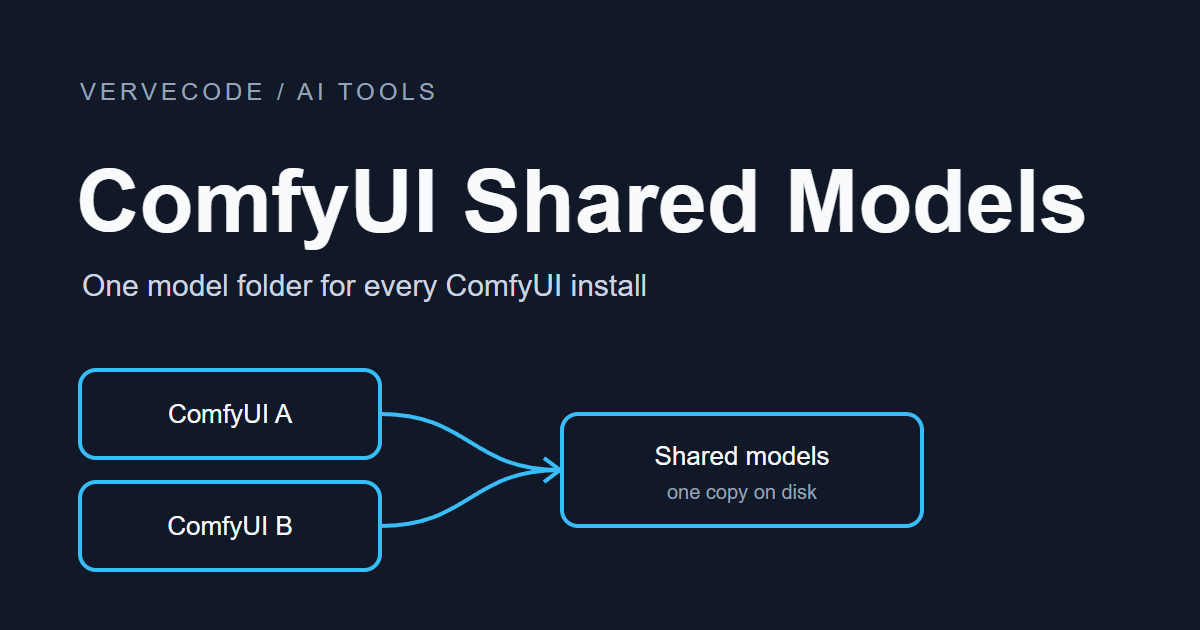
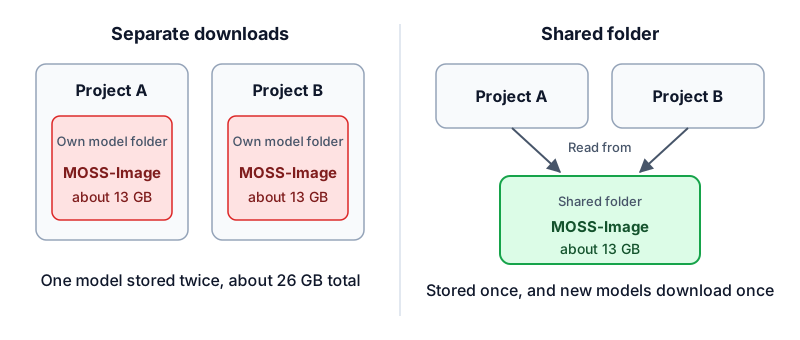
When ComfyUI loads a model, it looks for the file in the target folders it is configured with. By default, the diffusion models, text encoders, and VAEs each have a folder inside the install directory of every ComfyUI project. I have two ComfyUI projects on my computer that both use MOSS-Image, whose models total about 13 GB, so downloading them once per project took about 26 GB. ComfyUI can be told to look in a fixed location, so I moved the models to one shared folder and gave each project a setting that points to it. After they start, both projects find the models in the shared folder. Now the model dropdowns of both projects list the same models, and new models are downloaded only to the shared folder.
I tested on Windows 11 with ComfyUI 0.43.2. The two projects connected to the shared folder are a ComfyUI installed by comfy-cli and an image generation project with an embedded ComfyUI. The second one used to keep about 24 GB of Qwen-Image models of its own. After I moved them into the shared folder, both projects could select MOSS-Image and Qwen-Image.
Create the shared folder
After the change, the models exist only once on disk, and every project looks in the same folder:
models folder. That is how a model shows up in the dropdown of the matching node. For example, a file in diffusion_models is listed in the Load Diffusion Model node. I created the shared folder at E:\models. For now I only use three types, diffusion models, text encoders, and VAEs. I create other types when I need them, and a missing folder does not stop ComfyUI from starting:
1E:\models\
2├─ extra_model_paths.yaml
3├─ diffusion_models\
4├─ text_encoders\
5└─ vae\
Next, move the models from the models folder of the original project into the subfolder with the same name in the shared folder. If the original file and the shared folder are on the same drive, moving only changes the location of the file. Moving the roughly 13 GB of MOSS-Image models took less than a second. Across drives, the files have to be copied in full.
Write the config file
After the models are moved, write an extra_model_paths.yaml that tells ComfyUI where the shared folder is. I put it inside the shared folder. shared at the top level is a name I chose, and each line below it is a model type and its subfolder:
1shared:
2  base_path: .
3  is_default: true
4  checkpoints: checkpoints/
5  diffusion_models: diffusion_models/
6  text_encoders: text_encoders/
7  vae: vae/
8  loras: loras/
9  controlnet: controlnet/
10  clip_vision: clip_vision/
11  upscale_models: upscale_models/
12  embeddings: embeddings/
13  style_models: style_models/
14  model_patches: model_patches/
15  audio_encoders: audio_encoders/
16  latent_upscale_models: latent_upscale_models/
17  vae_approx: vae_approx/
18  hypernetworks: hypernetworks/
19  photomaker: photomaker/
20  gligen: gligen/
21  configs: configs/
base_path: . means the subfolders are counted from the location of the config file, so you can move the whole shared folder to another drive later without editing the file. is_default: true makes ComfyUI look in the shared folder first and then in the project’s own models folder. To share a new model type, add one line here. Custom nodes are not part of this config, and they stay installed in each project’s own ComfyUI.
Point each project to the shared config
After the config is written, the ComfyUI of every project has to read it at startup. If you can change the launch command of a project, add the --extra-model-paths-config argument that points to this file. If you would rather not touch the launch command of a project, put a copy of extra_model_paths.yaml next to main.py, and ComfyUI reads it automatically at startup. Use one of the two methods. After you change either one, restart ComfyUI for it to take effect.
The image generation project with the embedded ComfyUI runs main.py from its own launch script, and it already used --base-directory to point the models, outputs, and other folders into the project. I added the path to the config file on the same line, and the dropdown now lists both the project’s own models and the models in the shared folder:
1python main.py --base-directory <project folder> --extra-model-paths-config E:\models\extra_model_paths.yaml
The ComfyUI installed by comfy-cli is normally started with comfy launch. I did not change the launch command. Instead, I put a config file in the ComfyUI folder of the workspace, next to main.py. This file is not inside the shared folder, so I copied the content of the file in the shared folder and only changed base_path: . to the full path base_path: E:/models. The drawback is that when you add a model type later, you have to edit both files.
Comfy Desktop generates its own config file, and the file starts with a note not to edit it by hand. Use its settings screen instead. According to the official documentation, click “Add Shared Directory” under Storage in Settings to add the shared folder, then click “Use for Model Downloads”. After that, models downloaded by Desktop are saved there.
Confirm that a project reads the shared folder
After a restart, the ComfyUI log lists every extra search path. If the path of the shared folder appears, the config file was read:
1[INFO] Adding extra search path diffusion_models E:\models\diffusion_models
2[INFO] Adding extra search path text_encoders E:\models\text_encoders
3[INFO] Adding extra search path vae E:\models\vae
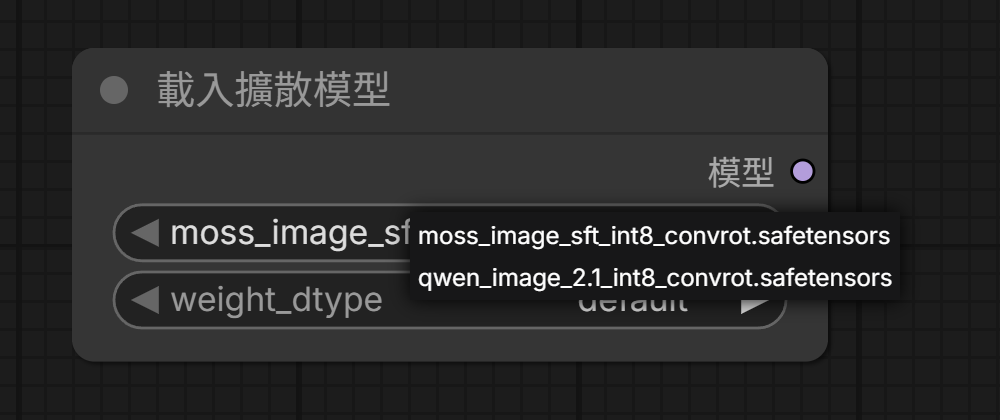
Then open the model dropdown of a node and check with a model that exists only in the shared folder, because a file with the same name is listed only once in the dropdown, so you cannot tell which copy is in use. I added a Load Diffusion Model node to the ComfyUI installed by comfy-cli. The screenshot uses the Traditional Chinese interface, where the node title reads 載入擴散模型 (Load Diffusion Model) and its output reads 模型 (MODEL). The dropdown listed Qwen-Image, which used to exist only in the image generation project:
Where new models are downloaded
After you share models, new models also have to go into the shared folder, or you end up with a duplicate again. When you download from a web page by hand, save the file straight into the matching subfolder. When you download with comfy model download from comfy-cli, it saves to the models folder of the workspace by default, so use --relative-path with the full path of the shared folder:
1comfy model download --url <model URL> --relative-path E:\models\loras
Summary
After the two ComfyUI projects switched to the shared folder, MOSS-Image and Qwen-Image are each stored once on disk, and new models downloaded with comfy-cli go straight into the shared folder.