Table of contents
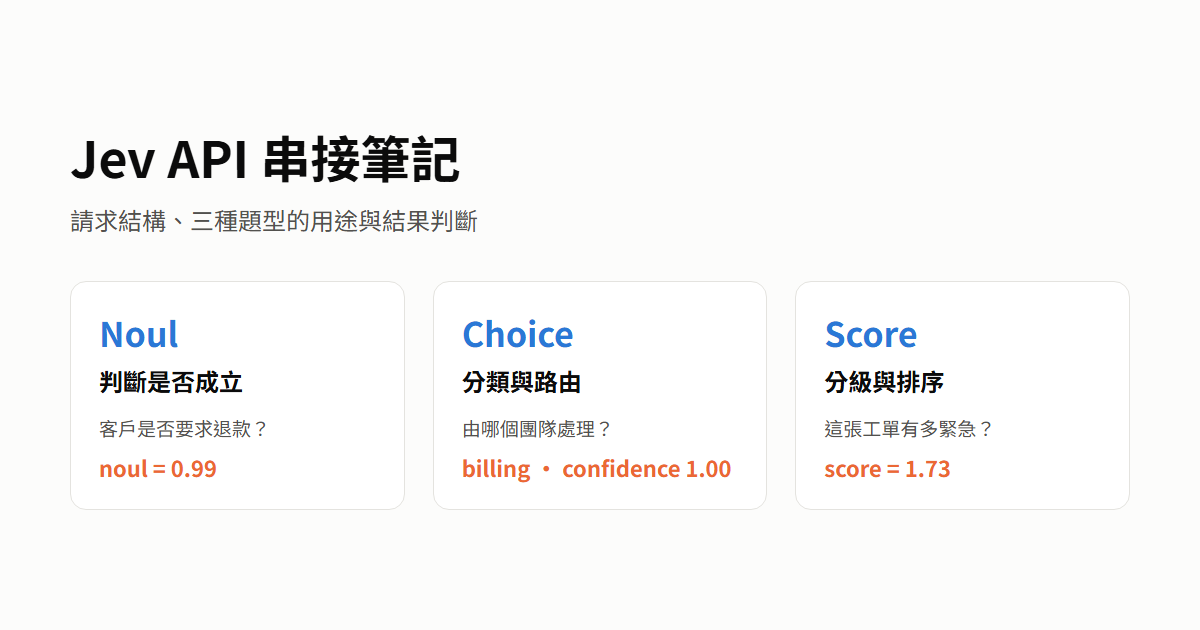
Jev is a decision model from TypeSafe. Your backend sends one HTTP POST request with the data to judge (state) and the questions, and gets back a probability for each answer. The model only judges. Your code decides from a threshold whether to act on the result automatically or hand it to a person.
An earlier post, testing the Jev and Laya decision models, covered only the Choice question type. This post uses customer support tickets as the example, and the approach does not depend on any particular system architecture. The example data comes from real API calls with jev-1.13.0 on 2026-10-10, one request for each of 7 tickets. It only shows what each question type is for and does not represent accuracy.
The tickets and questions in this post are written in Traditional Chinese, exactly as I sent them to the API. English translations sit next to them for reference only. Every probability is the original value from the Chinese run, and I did not rerun the tests with English tickets or English questions.
Request and response structure
According to the official API Reference and Models page, these are the basics of a request:
| Item | Content |
|---|---|
| Endpoint | POST https://api.typesafe.ai/v1/systemone |
| Headers | Authorization: Bearer <API_KEY>, Content-Type: application/json |
model (required) |
A fixed model version such as jev-1.13.0, or jev-latest, which points to the flagship model |
state (required) |
The data to judge. It can be a string, an object, or an array |
questions (required) |
A collection of questions keyed by your own IDs. The response uses the same IDs for each answer. The IDs are for your code only and are not sent to the model |
| Fields per question | type (noul, choice, or score) is required. instructions can be omitted according to the spec, but the official tutorials always include it. criteria is required for Choice and Score and optional for Noul |
| Length limits | Up to 64k tokens per request, and state plus the longest question can be up to 32k tokens. Text can be sent directly, and images need an extra header (see Classify images with Jev) |
One request can contain several questions:
- The official Primitives documentation says each question is evaluated independently on the same
state, and questions do not refer to each other. - I split the
refundandteamquestions in the example below into two single-question requests, and the answers matched the combined request. The two separate requests used 682 input tokens in total, more than the 500 tokens of the one combined request with three questions.
The example below asks three questions about one ticket at the same time:
1{
2  "model": "jev-1.13.0",
3  "state": "我的訂單 A-104 被重複扣款兩次,請今天退一筆給我。",
4  "questions": {
5    "refund": { "type": "noul", "instructions": "客戶是否要求退款?" },
6    "team": {
7      "type": "choice",
8      "instructions": "這張工單應該由哪個團隊處理?",
9      "criteria": {
10        "billing": "付款、扣款或退款",
11        "technical": "程式錯誤、當機或服務中斷",
12        "other": "其他問題"
13      }
14    },
15    "urgency": {
16      "type": "score",
17      "instructions": "這張工單有多緊急?",
18      "criteria": [
19        "不需處理:問題已經解決",
20        "可以等:輕微不便,沒有實際影響",
21        "本週處理:確實有問題,但有替代做法",
22        "今天處理:正在損失金錢或服務中斷"
23      ]
24    }
25  }
26}
English reference for the Traditional Chinese strings in the request:
state: “My order A-104 was charged twice. Please refund one charge today.”refund: “Is the customer requesting a refund?”team: “Which team should handle this ticket?” The options arebilling(“Payments, charges, or refunds”),technical(“Bugs, crashes, or service outages”), andother(“Anything else”).urgency: “How urgent is this ticket?” The four levels, from low to high, are “No action needed: the problem is already solved”, “Can wait: minor inconvenience with no real impact”, “Handle this week: a real problem, but there is a workaround”, and “Handle today: losing money or service is down”.
The request above returned the model version model, the answers answers keyed by question ID, and the token usage usage:
1{
2  "model": "jev-1.13.0",
3  "answers": {
4    "refund": { "type": "noul", "noul": 0.99 },
5    "team": {
6      "type": "choice",
7      "choice": "billing",
8      "confidence": 1.0,
9      "probabilities": { "billing": 1.0, "technical": 0.0, "other": 0.0 }
10    },
11    "urgency": {
12      "type": "score",
13      "score": 3.0,
14      "confidence": 1.0,
15      "legend": {
16        "0": "不需處理:問題已經解決",
17        "1": "可以等:輕微不便,沒有實際影響",
18        "2": "本週處理:確實有問題,但有替代做法",
19        "3": "今天處理:正在損失金錢或服務中斷"
20      },
21      "probabilities": { "0": 0.0, "1": 0.0, "2": 0.0, "3": 1.0 }
22    }
23  },
24  "usage": { "input_tokens": 500, "output_tokens": 69 }
25}
The legend values are the Chinese level descriptions from the request, returned unchanged, so they match the English reference above.
What each question type is for
The official model changelog says Jev 1.14 improved multilingual support, but it does not publish accuracy for each language. All 7 tickets below were asked with the same Chinese questions as above:
| Ticket | Content (Traditional Chinese, as sent) | English reference |
|---|---|---|
| T1 | 我的訂單 A-104 被重複扣款兩次,請今天退一筆給我。 |
My order A-104 was charged twice. Please refund one charge today. |
| T2 | 上個月申請的退款已經收到了,謝謝。 |
I received the refund I requested last month. Thank you. |
| T3 | 發票頁面偶爾載入有點慢,不影響使用。 |
The invoice page loads a bit slowly now and then, but it doesn’t get in the way. |
| T4 | 結帳頁面完全無法付款,客戶一直在流失。 |
The checkout page can’t take payments at all, and we keep losing customers. |
| T5 | 我被重複扣款,而且一打開帳務頁 App 就閃退。 |
I was charged twice, and the app crashes as soon as I open the billing page. |
| T6 | 這個月的方案費用好像比上個月高,想確認是不是算錯了。 |
This month’s plan fee seems higher than last month’s. I want to check whether it was calculated wrong. |
| T7 | 想詢問企業方案有沒有年繳優惠。 |
I’d like to ask whether the business plan has an annual-billing discount. |
Noul: check whether a condition holds
Noul fits detection and filtering, such as whether a ticket requests a refund, contains personal data, or is spam. Write the question as a yes-or-no question and ask about one condition per question. Phrase it so that a high value means yes, and avoid negations such as “does it not contain personal data”. When the boundary is unclear, describe the true and false cases separately in criteria as {"true": …, "false": …}. This example asks “Is the customer requesting a refund?”, and the returned noul is the probability that the customer is requesting a refund in this ticket:
| Ticket | Probability of a refund request (noul) |
|---|---|
| T1 asks for one refund today | 0.99 |
| T2 refund already received | 0.42 |
| T3 invoice page sometimes slow | 0.03 |
| T4 checkout cannot take payments | 0.18 |
| T5 double charge and app crash | 0.43 |
| T6 check whether a fee is wrong | 0.06 |
| T7 asks about annual-billing discount | 0.02 |
Your code sets a threshold on the noul probability. When a false yes is costly (for example, issuing a refund), raise the threshold. When missing a yes is costly (for example, a security issue), lower it. The official starting point is to treat 0.7 and above as yes and 0.3 and below as no, and to send anything in between to a person. T2 and T5 both mention a refund or a charge without clearly asking for a refund, so their probabilities land at 0.42 and 0.43, and under these thresholds they go to a person.
Choice: pick one from unordered categories
Choice fits classification and routing, such as assigning a team, detecting intent, or choosing which tool to call. criteria maps each option name to a description, with up to 255 options. Both the option names and the descriptions are sent to the model, and choice returns the name, so when the name is clear enough you can set the description to null. The listed options are all the model can choose from, so the official Choice documentation recommends keeping an option such as other when the options might not cover every case. This example asks “Which team should handle this ticket?” with the options billing (payments, charges, or refunds), technical (bugs, crashes, or service outages), and other (anything else). Choice returns the most probable choice, the probabilities of every option, and a confidence:
| Ticket | billing | technical | other | choice |
confidence |
|---|---|---|---|---|---|
| T1 asks for one refund today | 1.00 | 0.00 | 0.00 | billing | 1.00 |
| T2 refund already received | 0.88 | 0.00 | 0.12 | billing | 0.82 |
| T3 invoice page sometimes slow | 0.01 | 0.92 | 0.07 | technical | 0.88 |
| T4 checkout cannot take payments | 0.30 | 0.70 | 0.00 | technical | 0.55 |
| T5 double charge and app crash | 0.39 | 0.46 | 0.15 | technical | 0.19 |
| T6 check whether a fee is wrong | 1.00 | 0.00 | 0.00 | billing | 1.00 |
| T7 asks about annual-billing discount | 0.88 | 0.00 | 0.12 | billing | 0.82 |
Your code routes directly on choice and sends the ticket to a person when confidence is low. T5 involves both a charge and a crash, so its probability is spread over the three options and its confidence is only 0.19. T7 asks about an annual-billing discount, and other gets only 0.12. The model picked billing with a confidence of 0.82, so a threshold of 0. T2 got exactly the same probabilities and confidence, and both are the raw values the API returned.5 would let it through automatically. confidence shows how concentrated the probability is and is not the chance of being right. A threshold cannot catch a model that is very sure and wrong, so you fix that by adjusting the option descriptions or by calibrating with data whose answers you know.
Score: rate an ordered degree
Score fits grading and ranking, such as urgency, severity, or relevance. criteria is a list of 2 to 10 level descriptions ordered from low to high. The returned score is the level number weighted by probability, and legend maps each index to its description. Describe each level with a concrete situation instead of degree words such as “minor” or “severe”. The model does not see level numbers or neighboring levels, so do not rely on level numbers in the descriptions, and do not write relative phrases such as “more serious than the previous level”. Measure one dimension per question, and split a multi-dimension judgment into several questions that your code combines. This example asks “How urgent is this ticket?” with four levels from low to high: 0 no action needed, 1 can wait, 2 handle this week, and 3 handle today:
| Ticket | Urgency score |
confidence |
|---|---|---|
| T2 refund already received | 0.00 | 1.00 |
| T3 invoice page sometimes slow | 1.00 | 1.00 |
| T7 asks about annual-billing discount | 1.02 | 0.96 |
| T6 check whether a fee is wrong | 1.73 | 0.61 |
| T1 asks for one refund today | 3.00 | 1.00 |
| T4 checkout cannot take payments | 3.00 | 1.00 |
| T5 double charge and app crash | 3.00 | 1.00 |
Your code sorts tickets by score, or rounds it to a level and applies a different handling deadline to each level. Different probability distributions can produce the same score. For example, 0.5 on level 1 and 0.5 on level 2 gives 1.5 with a confidence of 0.5, and 0.5 on level 0 and 0.5 on level 3 also gives 1.5, but with a confidence of 0. Check confidence before rounding, and when it is low, look at probabilities or hand the ticket to a person. T6’s 1.73 lies between “can wait” and “handle this week”, closer to “handle this week”. Its probability sits mainly on those two levels (0.33 and 0.61), with another 0.06 on “handle today”, and its confidence is 0.61.
Reading the results
confidence ranges from 0 to 1. Only Choice and Score return it. For Noul, set the threshold directly on the noul probability. Choice and Score calculate confidence differently:
- Choice’s
confidencelooks only at the probability of the top option and is adjusted for the number of options, so the value is not equal to the probability. With 3 options, aconfidenceof 0.5 is roughly a top probability of 0.67. With the same top probability of 0.5,confidenceis 0 for 2 options and 0.44 for 10 options. This puts questions with different numbers of options on one scale. - Score’s
confidencetakes the order of the levels into account. It drops less when the probability is spread over neighboring levels and more when it is spread over levels far apart.
The official Confidence documentation gives no universal threshold. It only shows examples with checking a balance and approving a transfer:
| Condition | Example action |
|---|---|
confidence below 0.5 |
Hand over to a person (route_to_human) |
| 0.5 or above, low-risk action such as checking a balance | Run directly |
| 0.5 or above and up to 0.9, high-risk action such as approving a transfer | Ask the user to verify first (ask_user_to_confirm) |
| Above 0.9, high-risk action | Go into the confirm-then-execute flow (confirm_then_execute) |
With 0.5 as the threshold for team routing, T5’s 0.19 goes to a person, and T4’s 0.55 is routed automatically to technical.
Backend call flow
The example is written in Python, and the flow is the same in other languages. Create the API key on the API Keys page of the TypeSafe console, and put it in .env together with the model version and the endpoint. Pin the model to an explicit version such as jev-1.13.0, so that the judgment quality does not change when the model is updated:
1JEV_API_KEY=your-api-key
2JEV_MODEL=jev-1.13.0
3JEV_API_URL=https://api.typesafe.ai/v1/systemone
The official errors page also lists 400, 413, and 415. The table below lists only the status codes the example handles and how it handles them. For 429 and 529, retry with exponential backoff. The last row is the connection error that the example handles separately:
| Status | Meaning | Backend handling |
|---|---|---|
401 |
The key is missing or wrong | Do not retry, report the error directly |
422 |
The request format is invalid, and the response points to the field in error | Do not retry, report the error directly |
429 |
Rate limit exceeded | Rate limits depend on your organization’s settings, and you can see the quota on the Rate limits page of the TypeSafe console. If the response has a retry-after header, follow it. Otherwise use exponential backoff. The example retries at most 3 times and waits 1, 2, and 4 seconds in turn. I never triggered it in practice |
529 |
The service is overloaded | Same as 429 |
| Timeout or connection failure | Not an HTTP status code | The example does not retry and reports the error directly |
Create a function ask_jev to send the request. It uses the model version MODEL and the endpoint API_URL read from .env, builds the request body from the data to judge (state) and the questions (questions), and sends it. On 429 or 529 it retries as in the table above, and any other error is reported directly:
1def ask_jev(client, state, questions, retries=3):
2    payload = {"model": MODEL, "state": state, "questions": questions}
3    for attempt in range(retries + 1):
4        response = client.post(API_URL, json=payload)
5        if response.status_code not in (429, 529) or attempt == retries:
6            response.raise_for_status()
7            return response.json()
8        time.sleep(2**attempt)
When the backend service starts, create one HTTP client. Set the authorization header with the key API_KEY read from .env, and set a timeout. All requests share this client to reuse connections, and you release it when the service shuts down. In the example below, ticket is the ticket text, and the three questions from the request above are stored as the constants REFUND_QUESTION, TEAM_QUESTION, and URGENCY_QUESTION before they are sent:
1# Created at service startup, released at shutdown
2with httpx.Client(
3    headers={"Authorization": f"Bearer {API_KEY}"},
4    timeout=httpx.Timeout(30, connect=10),  # example values
5) as client:
6    result = ask_jev(
7        client,
8        ticket,
9        {"refund": REFUND_QUESTION, "team": TEAM_QUESTION, "urgency": URGENCY_QUESTION},
10    )
After you get result, use 0.5 as the threshold to decide between automatic routing and a person:
1team = result["answers"]["team"]
2action = f"route to {team['choice']}" if team["confidence"] >= 0.5 else "send to a human"
Summary
A shared HTTP client and a call function that retries only on 429 and 529 are enough to integrate the backend. Noul uses a threshold on the probability, while Choice and Score use confidence to decide between automatic handling and a person.