Table of contents
If you search for how to turn on shaders in Minecraft Java Edition, the results are mostly about OptiFine, another shader mod. But OptiFine’s download page currently offers only a preview for 26.2. OptiFabric, which lets OptiFine work with Fabric (a mod loader), was last updated for 1.20.4. Neither mod can turn on shaders in the latest version of the game. Iris is another shader mod for Java Edition, and it already supports 26.3. Run its official installer and you can turn on shaders in the official Minecraft Launcher. I used Iris to compare three popular shader packs at the same spot. With shaders on, frames per second (FPS) dropped to between 28% and 38% of what it was with shaders off.
I tested on Windows 11 with an i7-12700, an RTX 3070 8 GB, and Minecraft Java Edition 26.3, launched from the official Minecraft Launcher. If you play Bedrock Edition, shaders work through resource packs. See shader resource packs for Bedrock Edition and how to install them.
Install Iris and Sodium
Iris’s website says Iris works together with Sodium, a performance mod. The official installer installs both mods and adds a new installation to the official launcher:
- On Iris’s download page, click “Download for Windows” to download
Iris-Installer-3.3.0.exe. - Close the Minecraft Launcher, then run the installer. If the launcher is still open, the installer stops at the message “Close the Minecraft Launcher to continue installation.” and waits until you close it.
- Under “Select game version”, choose the game version you play. Leave the other options at their defaults and click “Install”.
- When the button changes to “Completed!”, the installation is done. The installer also installs Fabric Loader, the mod loader that Iris and Sodium run on.
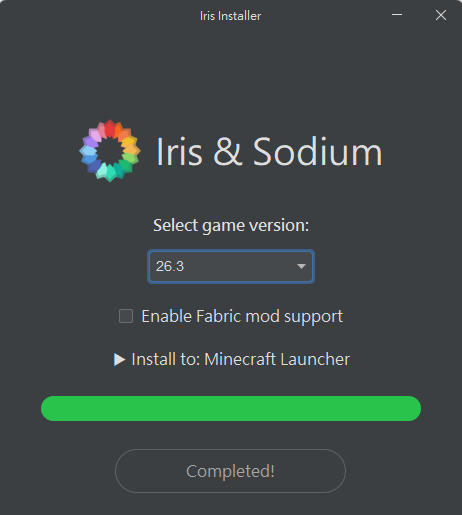
The installer adds only one installation, “Iris & Sodium for 26.3”. Your existing “Latest release” installation is not affected. The new installation shares world saves and game settings with the vanilla one.
Start the Iris installation
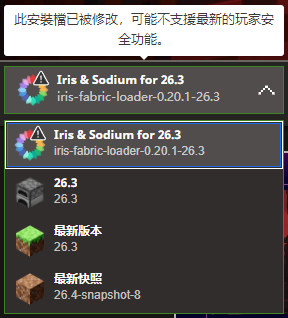
Open “MINECRAFT: JAVA EDITION” in the Minecraft Launcher. The “Iris & Sodium for 26.3” installation you just added is selected automatically at the bottom left. Its icon has an exclamation mark, and the tooltip warns, in my paraphrase rather than the exact English wording, that the installation has been modified and may not support the latest player safety features. This warning does not stop the game from starting. The launcher screenshots in this article use a Traditional Chinese interface. In the screenshot below, the tooltip is that warning, and the other entries are “Latest release” and “Latest snapshot”:
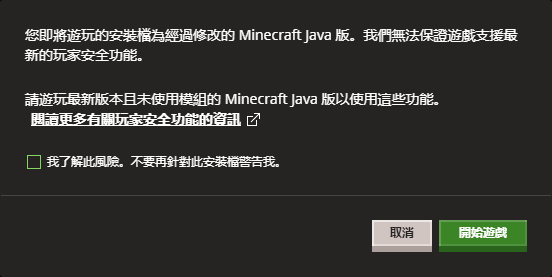
After you click “Play”, the launcher asks once more whether you want to play a modified installation. Click the “Play” button in the dialog to continue. The buttons at the bottom right of this Traditional Chinese screenshot are “Cancel” and “Play”:
After the game opens, the title screen shows “Minecraft 26.3 (Modded)” at the bottom left.
Apply a shader pack
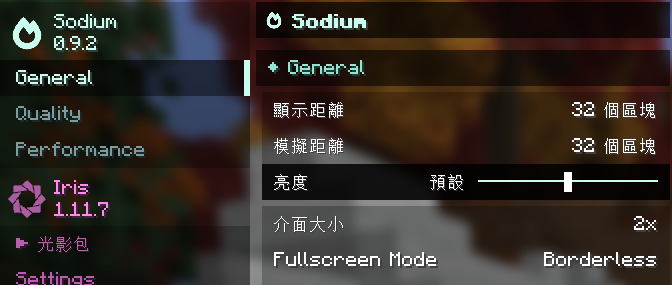
On the title screen or in a world, open “Video Settings” under “Options”. With Sodium installed, this page becomes Sodium’s settings screen, and “Shader Packs” under Iris in the left sidebar is where you switch shaders. This screenshot uses a Traditional Chinese interface:
A shader pack is a zip file. Download it from a site such as Modrinth, and leave it zipped. Then put it in the folder and apply it:
- Click “Shader Packs”, then click “Open Shader Pack Folder…”. File Explorer opens
%APPDATA%\.minecraft\shaderpacks. - Put the downloaded zip files in this folder. The list in the game then shows those shader packs.
- Click the shader pack you want to use, then click “Done”.
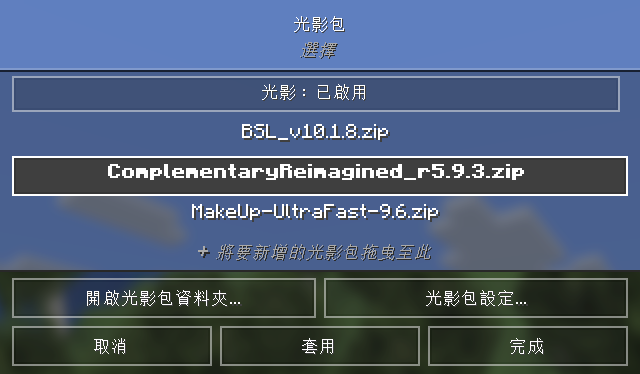
The screenshot below is also in Traditional Chinese. The page title is “Shader Packs”, the top button is “Shaders: Enabled”, and the buttons at the bottom are “Open Shader Pack Folder…”, “Shader Pack Settings…”, “Cancel”, “Apply”, and “Done”:
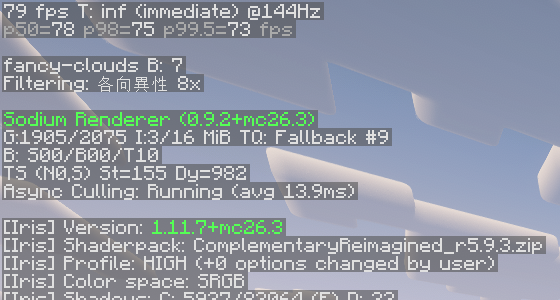
With shaders on, press F3 to open the debug screen (see Minecraft F3 shortcuts) and check that the shader pack is active. [Iris] Shaderpack on the left shows the shader pack in use, and it shows (off) when shaders are off:
Shader pack visuals and FPS
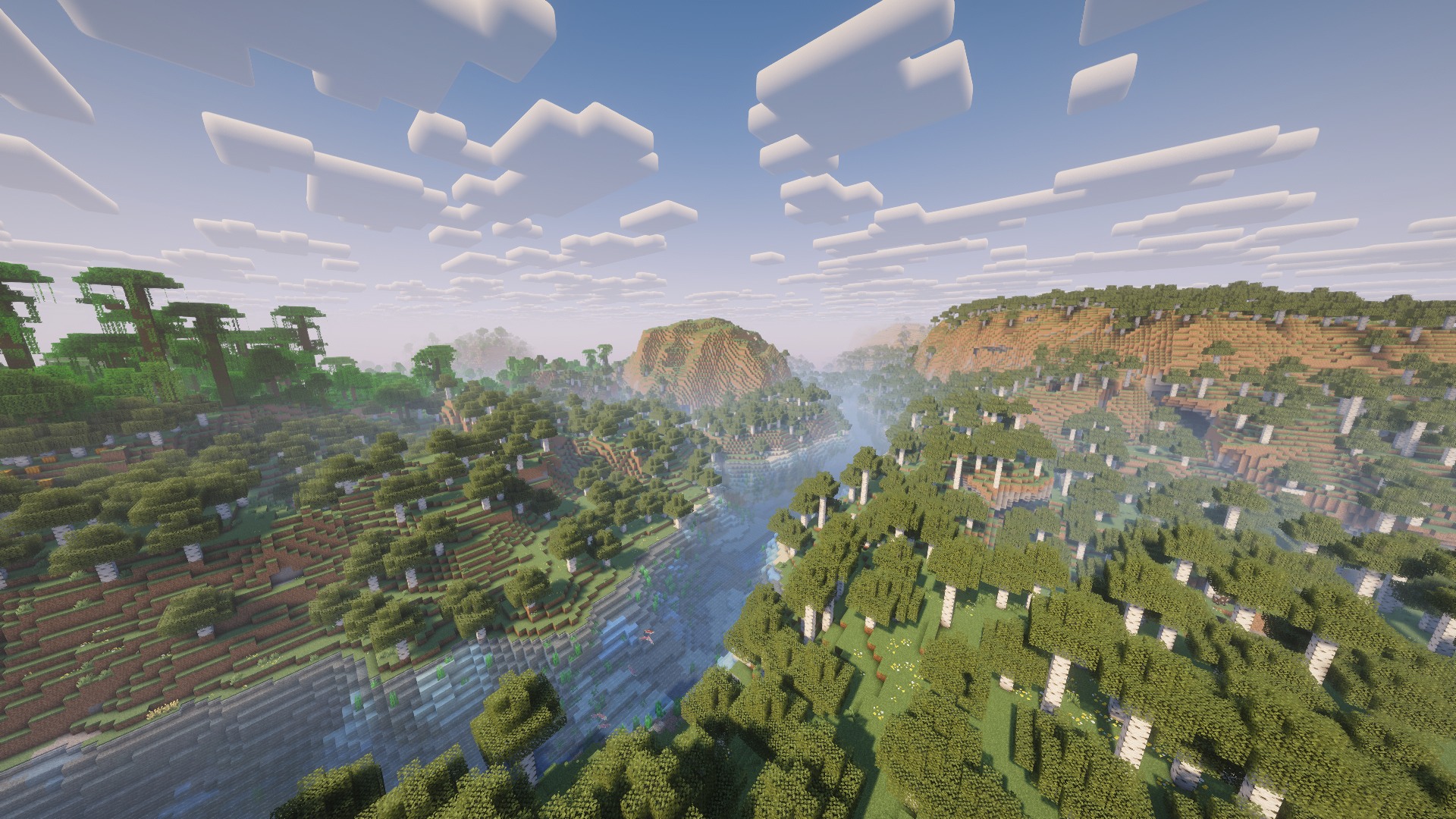
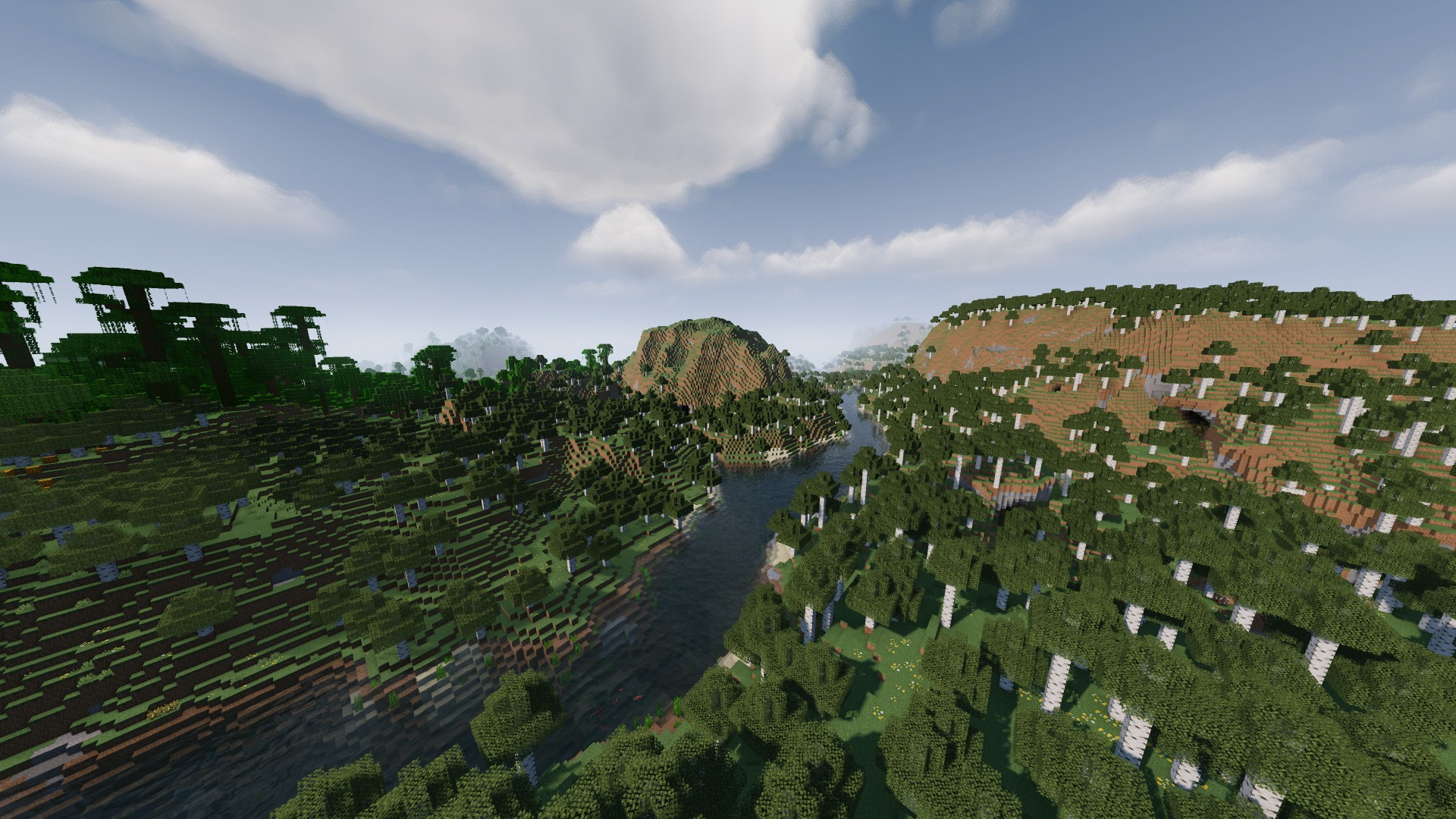
From the top ten shader packs on Modrinth by downloads, I picked three that all support 26.3: Complementary Reimagined, BSL, and MakeUp - Ultra Fast (a pack designed for performance). I kept all three at their default settings and compared the visuals and FPS at the same spot and time of day, above a river valley:
| Shader pack | Look | Average FPS on an RTX 3070 |
|---|---|---|
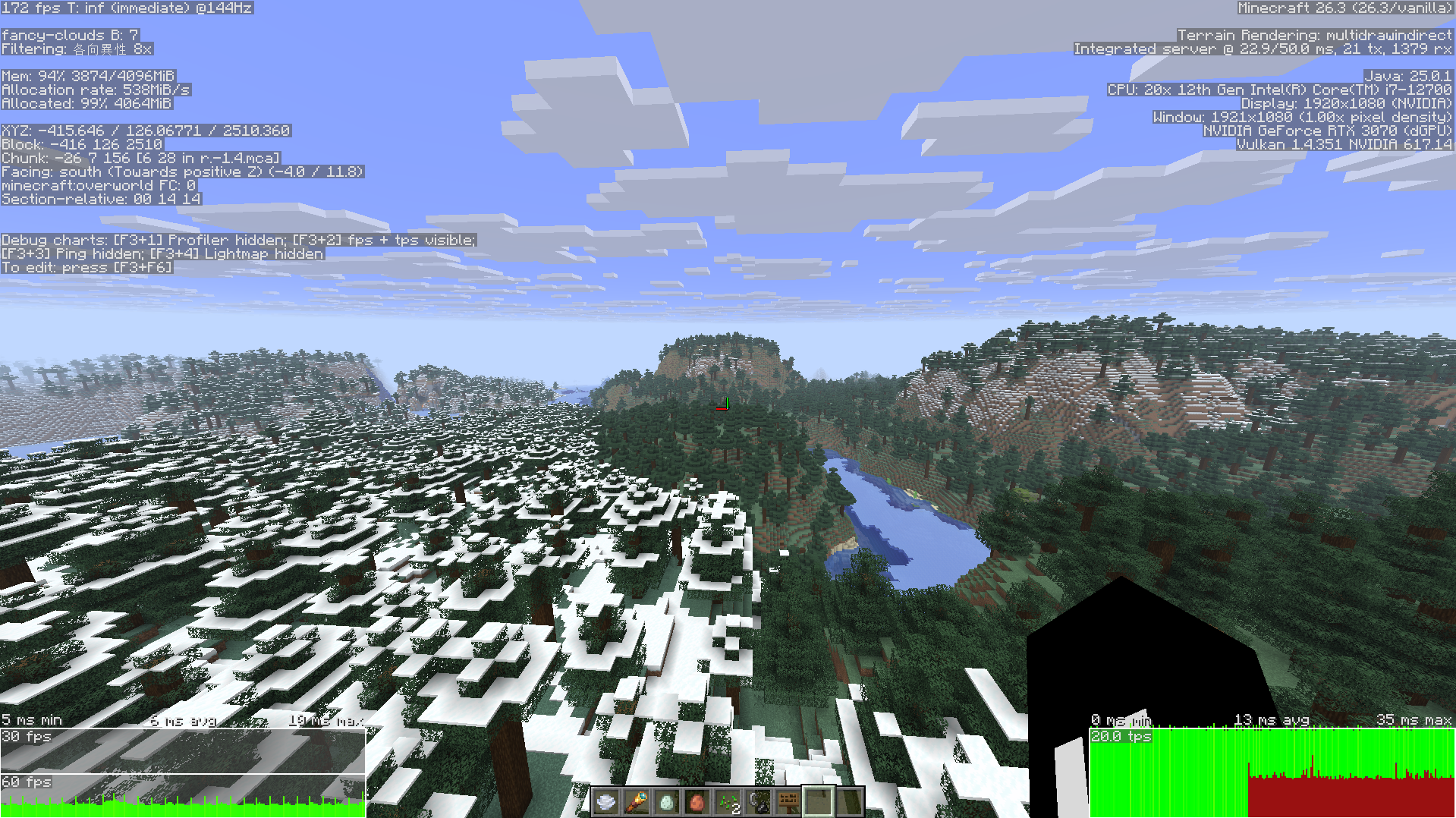
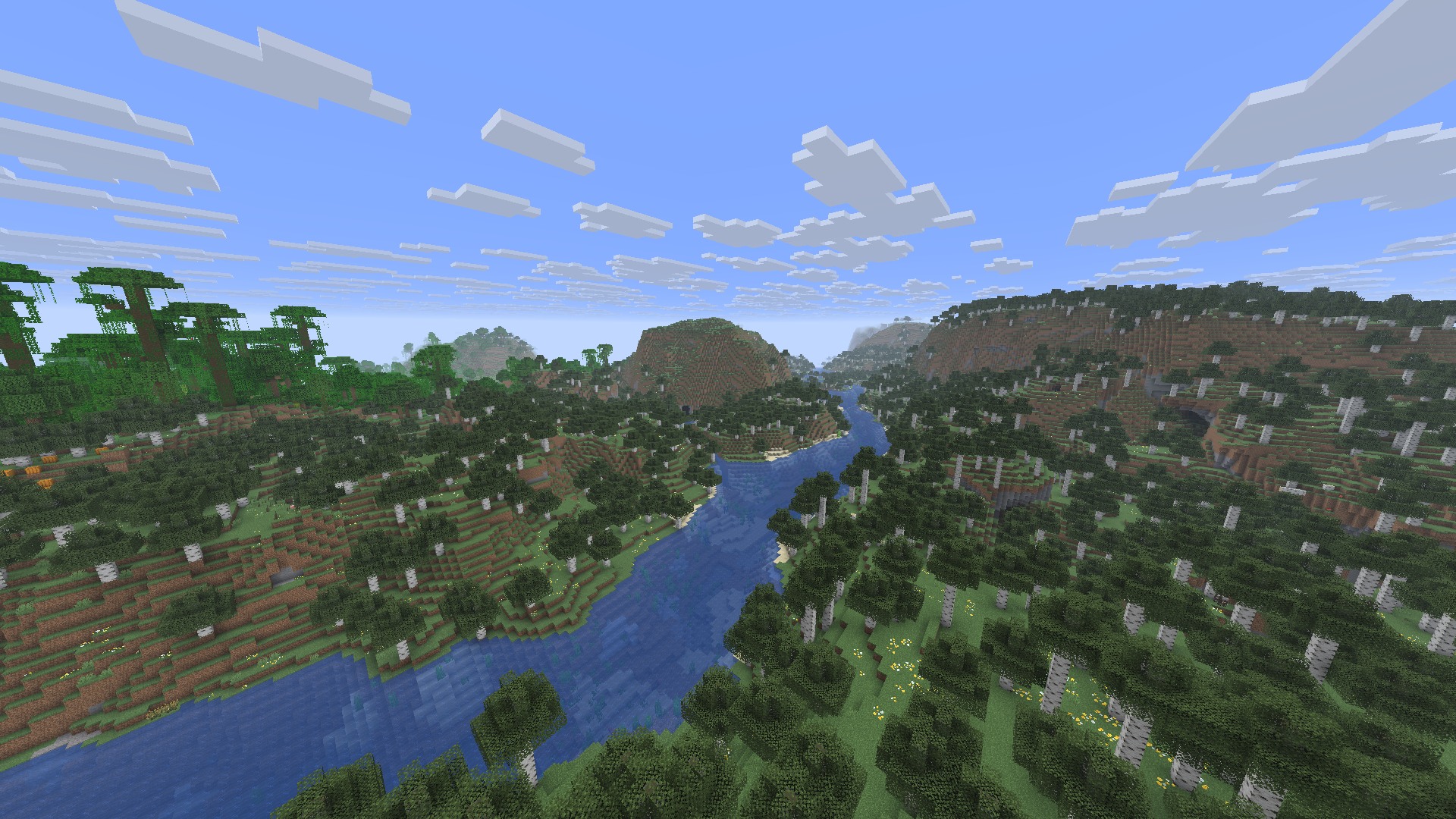
| Shaders off | Vanilla flat-colored sky and blocky clouds | 282 |
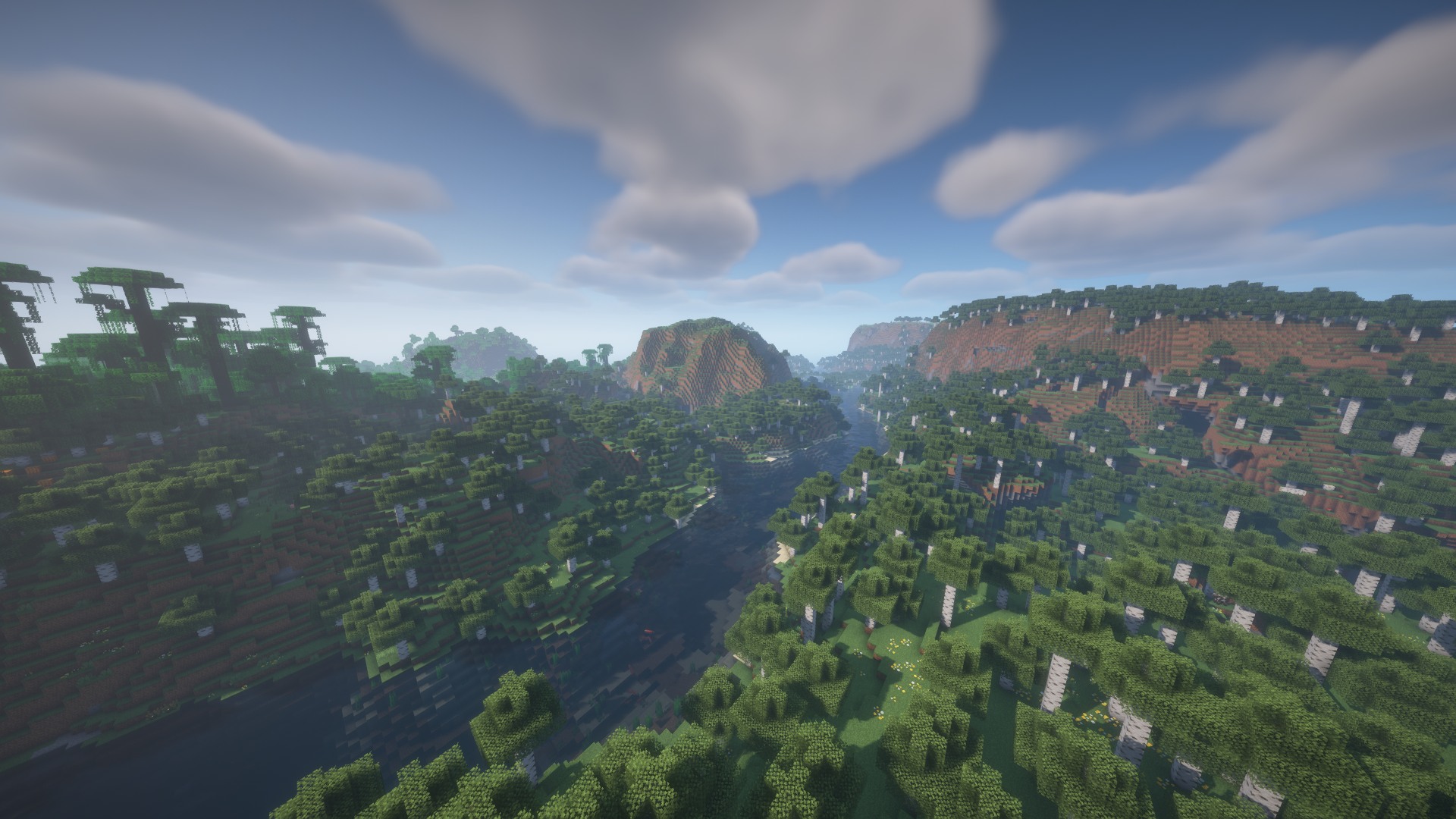
| Complementary Reimagined | Keeps the vanilla blocky clouds and adds light and shade. Distant terrain is foggy, and the river reflects the sky | 78 |
| BSL | Soft, thick-looking clouds with depth. The river is deep blue and reflects both banks | 82 |
| MakeUp - Ultra Fast | Large soft cloud layers. Forests and grass look darker | 107 |
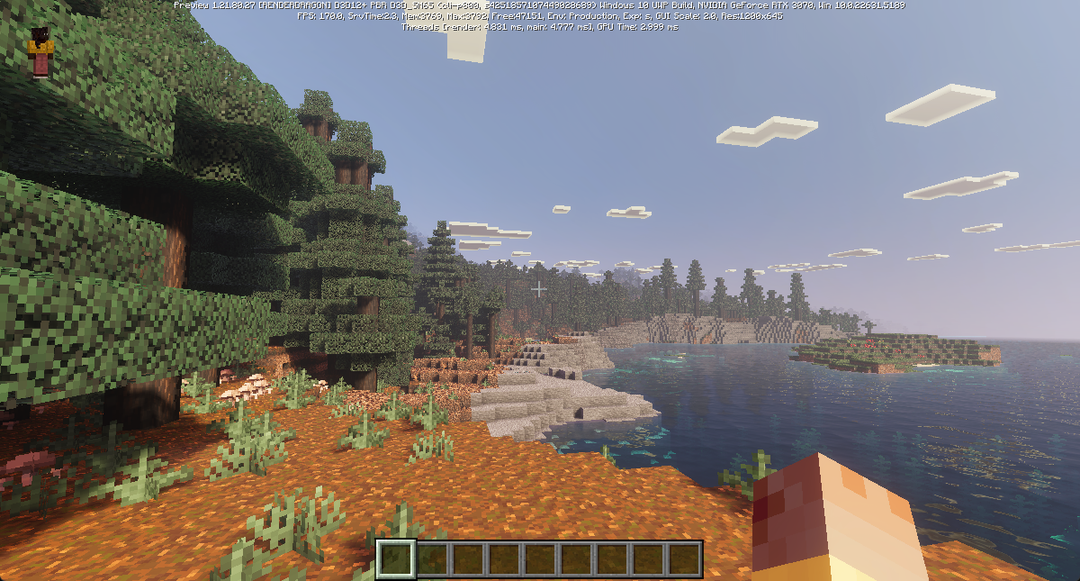
Here are the four setups in the same order:
When shaders do not work
If shaders do not work, find what you see in this table. The graphics API is the interface the game uses to draw on your graphics card, either OpenGL or Vulkan:
| What you see | Cause | What to do |
|---|---|---|
| The Shader Packs page shows “Shaders: No Packs Present” | The zip file is in another folder, such as the resource packs folder | Click “Open Shader Pack Folder…” to open the correct folder, then put the zip file in it |
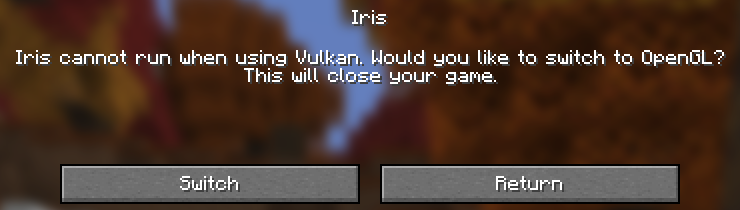
| Clicking “Shader Packs” shows Iris cannot run when using Vulkan | The graphics API is set to Vulkan, for example after you followed the guide to switching to Vulkan | Click “Switch” to set the graphics API to prefer OpenGL, close the game, and start it again |
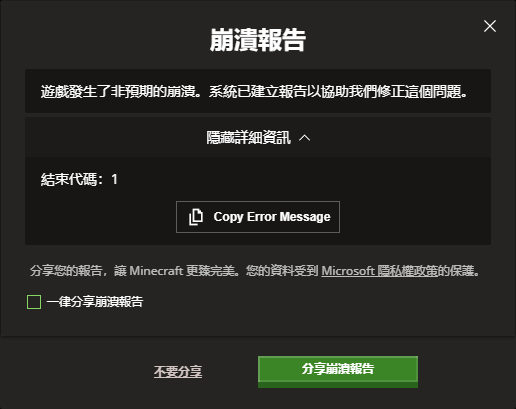
| The launcher shows a crash report with exit code 1 | The Iris version does not match the game version. The end of logs\latest.log has an error that mentions from mod iris |
Run the installer again and choose the same version as the game |
| The installer shows Warning: We have ended support for the version number | Iris no longer supports that version | Choose a version in the list that has no warning |
The first screenshot below shows the Vulkan message. The second shows the crash report that appears when the versions do not match. It uses the Traditional Chinese launcher, where the title reads “Crash report” in English and the details show only “Exit code: 1”:
Test notes
The installer is version 3.3.0, and it installed Iris 1.11.7, Sodium 0.9.2, and Fabric Loader 0.20.1. The shader packs are Complementary Reimagined r5.9.3, BSL 10.1.8, and MakeUp - Ultra Fast 9.6. I measured FPS at 1920×1080 in full screen with a render distance of 32 chunks, VSync off, and no FPS limit, with the in-game time fixed at morning. For each setup I recorded the F3 number every 2 seconds, six times in total, and took the average. The no-shader number was measured in the same installation with shaders turned off. I reproduced the crash report by replacing Iris with 1.11.4, the version for 26.2. After I ran the installer again to switch back to 1.11.7, the game started normally.
Summary
To turn on shaders in Java Edition, create an installation with Iris’s official installer, then put the shader pack’s zip file in the shader packs folder. In my tests, three popular shader packs each averaged 78 FPS or more on an RTX 3070.
Further reading