Switch Minecraft Java 26.3 to Vulkan: how to enable it and FPS compared with OpenGL

Translated from the original Traditional Chinese version.

Summary

Minecraft Java 26.3 can switch to Vulkan in the video settings, and it takes effect after you restart the game. On an RTX 3070, Vulkan gave only about 3% to 9% more FPS than OpenGL, and on a 144 Hz monitor the two felt almost the same.

Table of contents

Minecraft Java Edition 26.3 can switch from OpenGL to Vulkan with “Graphics API” in “Video Settings”, and the change takes effect after you restart the game. I tested the plain vanilla version (the official release) on an i7-12700 with an RTX 3070. Vulkan gave only about 3% to 9% more FPS than OpenGL. Both settings ran above 144 fps, so on a 144 Hz monitor the two felt almost the same.

Vulkan is still marked experimental in 26.3 and needs to be set manually, and the 26.4 snapshot already changes “Default” to Vulkan. According to Mojang’s announcement, the switch of graphics API is mainly for macOS support and for Vibrant Visuals on Java Edition later.

Switch the graphics API

Press Esc and go to “Options” > “Video Settings”, then change “Graphics API” to “Prefer Vulkan (Experimental)”. After you change it, a red message at the top of the screen tells you to restart the game, and the top right of the F3 screen still shows OpenGL 3.3.0.
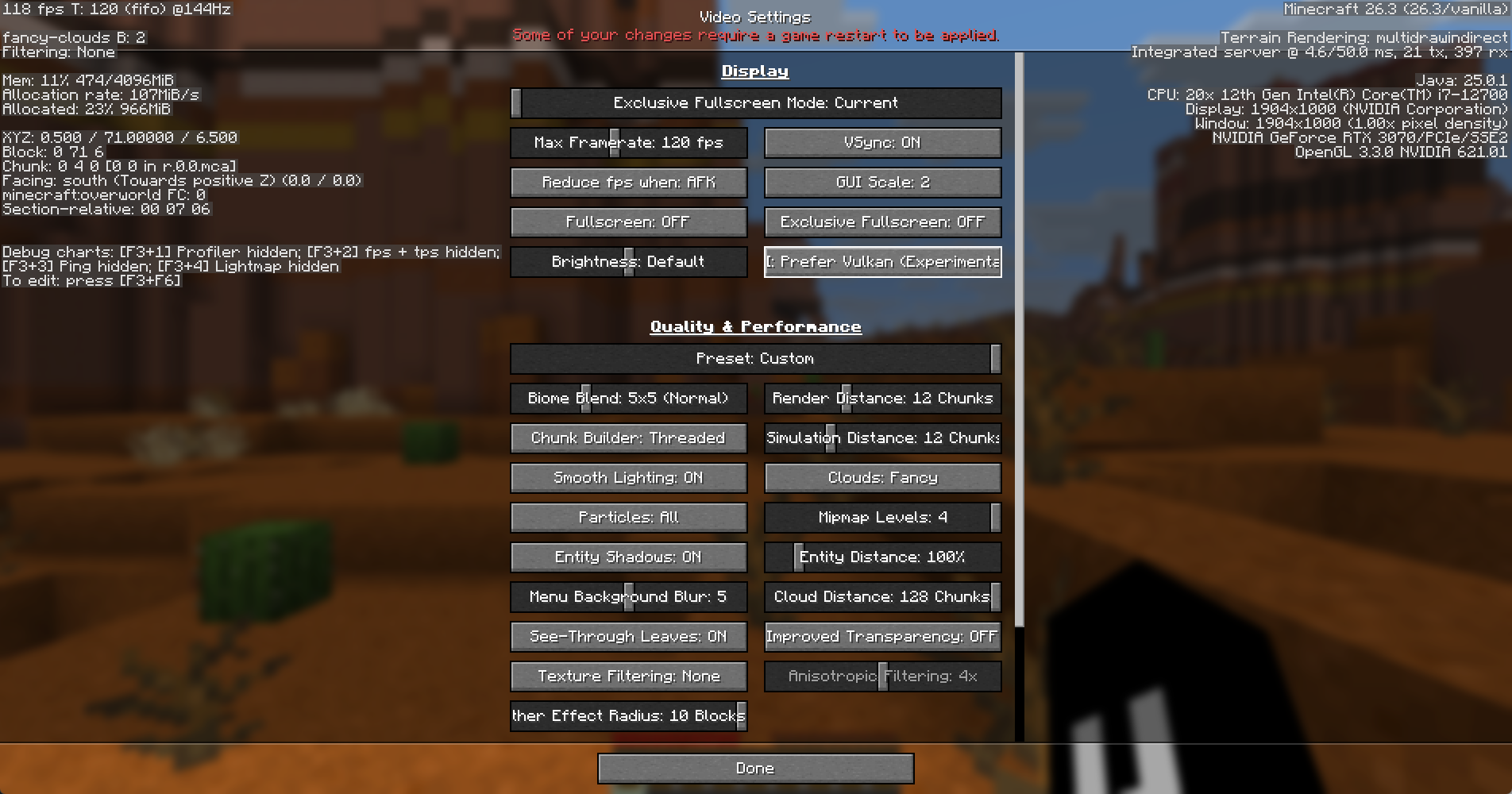
The Minecraft Video Settings screen with Graphics API switched to Prefer Vulkan (Experimental) and the top right of the F3 information still showing OpenGL 3.3.0, and the red message “Some of your changes require a game restart to be applied.” at the top. The button text is cut off at the edge because the English label is long
Restart the game, enter a world and press F3. When the last line in the top right starts with Vulkan, the switch worked. If your computer has both integrated and discrete graphics, Vulkan prefers the discrete GPU, and (dGPU) appears after the graphics card name:
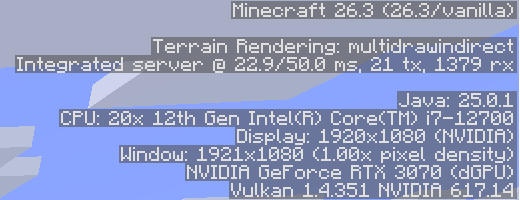
The system information in the top right of F3 showing NVIDIA GeForce RTX 3070 (dGPU) and Vulkan 1.4.351
If it is still OpenGL after the restart, your computer doesn’t meet the requirements for Vulkan and the game fell back automatically. You can update your graphics driver and try again. If the game crashes when it starts with Vulkan, the next start automatically goes back to “Default”, which is OpenGL in 26.3. If you have mods installed, first check whether they support Vulkan. To go back to OpenGL, change “Graphics API” to “Prefer OpenGL” and restart the game.

Tested FPS and how it feels

Both tests used 1080p fullscreen, a render distance of 32 chunks and VSync off. I teleported to the same coordinates and view, and only switched the graphics API:

Scene OpenGL Vulkan Difference
Distant river valley 155 fps 169 fps about +9%
Close taiga forest 159 fps 164 fps about +3%

The numbers are the average of several screenshots at the same position, and they leave out frames right after teleporting while the world is still loading. The average frame time was 6 ms in both settings. Before and after the switch, the river valley view differs only in the FPS at the top left and the API at the top right, apart from the position of the clouds:
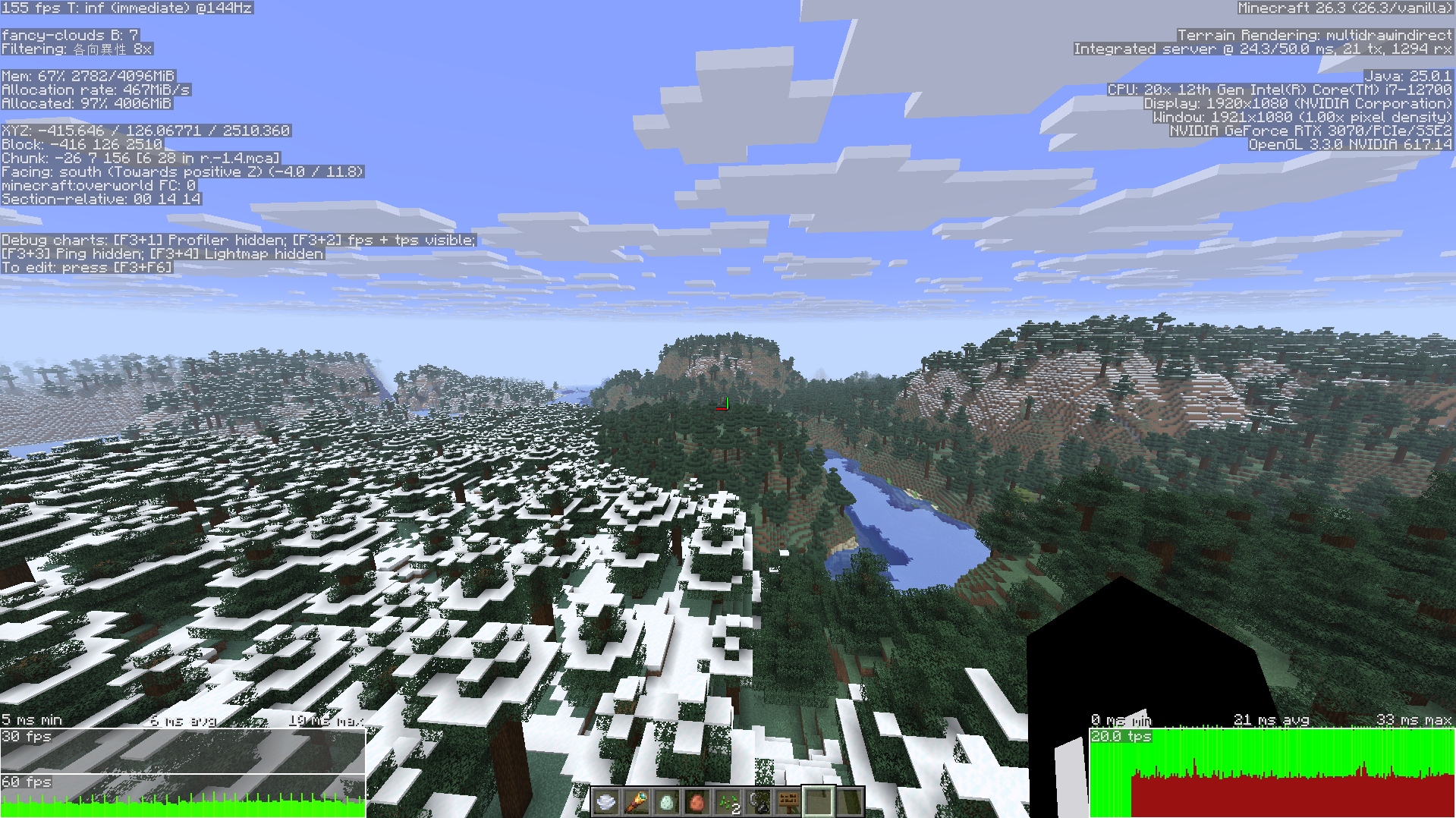
The distant river valley in OpenGL mode, with 155 fps at the top left and OpenGL 3.3.0 at the top right
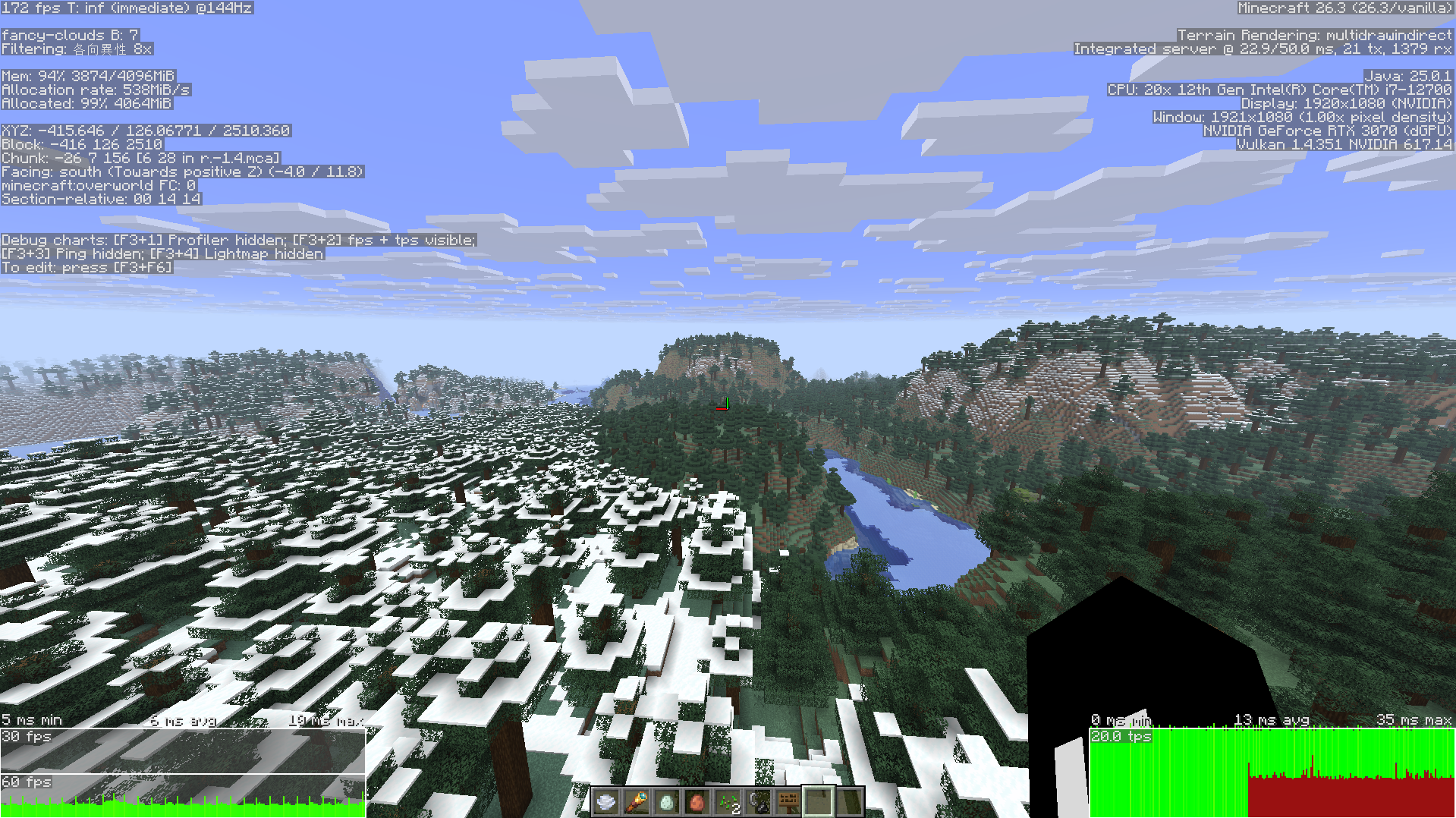
The same distant river valley in Vulkan mode, with 172 fps at the top left and Vulkan 1.4.351 at the top right
When FPS is already above the refresh rate of the monitor, the extra dozen or so fps can’t be felt, and moving around and turning the camera felt equally smooth in my tests. A single screenshot makes the difference look bigger. The day before, I captured 172 against 243 fps at the same position, and it didn’t show up again when I retested the next day. With an AMD or Intel graphics card, the results may differ from the RTX 3070.

Summary

Vulkan needs to be switched on manually in 26.3, and the 26.4 snapshot makes it the default. On an RTX 3070 with the vanilla version, Vulkan gave about 3% to 9% more FPS than OpenGL, and the difference in feel was small.

Where to go next

PreviousAdd new-article push notifications to a static Astro site: a Web Push design with Cloudflare Workers, D1, and QueuesWorkflowNextLaya vs Jev: how to use two decision models, with results and latency from a Traditional Chinese testAI
Ted Liou

Ted Liou

Software engineer writing about Unity and AI development. Available for consulting.