Table of contents
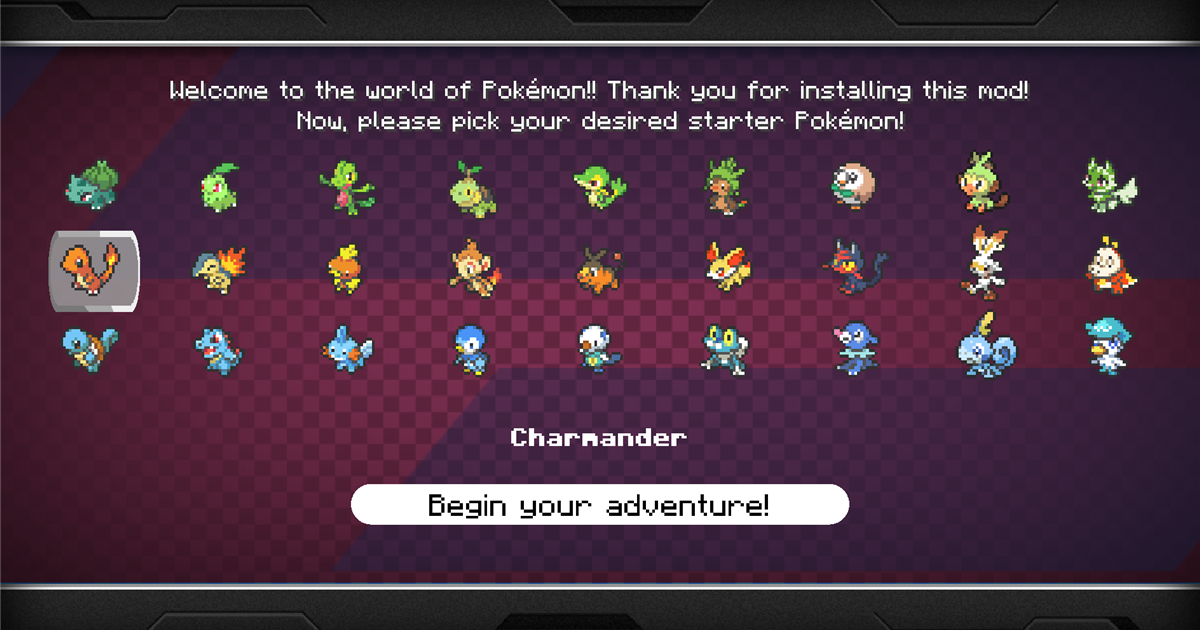
Pixelmon is a mod that adds Pokémon to Minecraft. To install it, create a Minecraft 1.21.1 + NeoForge instance in Prism Launcher and download Pixelmon from Modrinth. Prism handles Java and the game files for you.
I installed Pixelmon 9.4.1 with Prism Launcher 11.1.1, from creating the instance to picking a starter Pokémon in a world.
Version requirements
The official Pixelmon website lists the requirements for version 9.4.1. This version is marked as a release on Modrinth, and the website marks it as Recommended. Version 9.4.2, released on October 22, 2026, has the same requirements. The website marks it as Beta, and Modrinth marks it as a release.
| Item | Requirement |
|---|---|
| Minecraft | 1.21.1 |
| Mod loader | NeoForge 21.1.248 or later (Pixelmon 9.4.1) |
| Java | Java 21 |
The website lists Modrinth, CurseForge, ATLauncher, Technic, and the Pixelmon website as download channels.
Create a 1.21.1 + NeoForge instance
For installing Prism Launcher and signing in with a Microsoft account, see Install Prism Launcher and sign in with a Microsoft account.
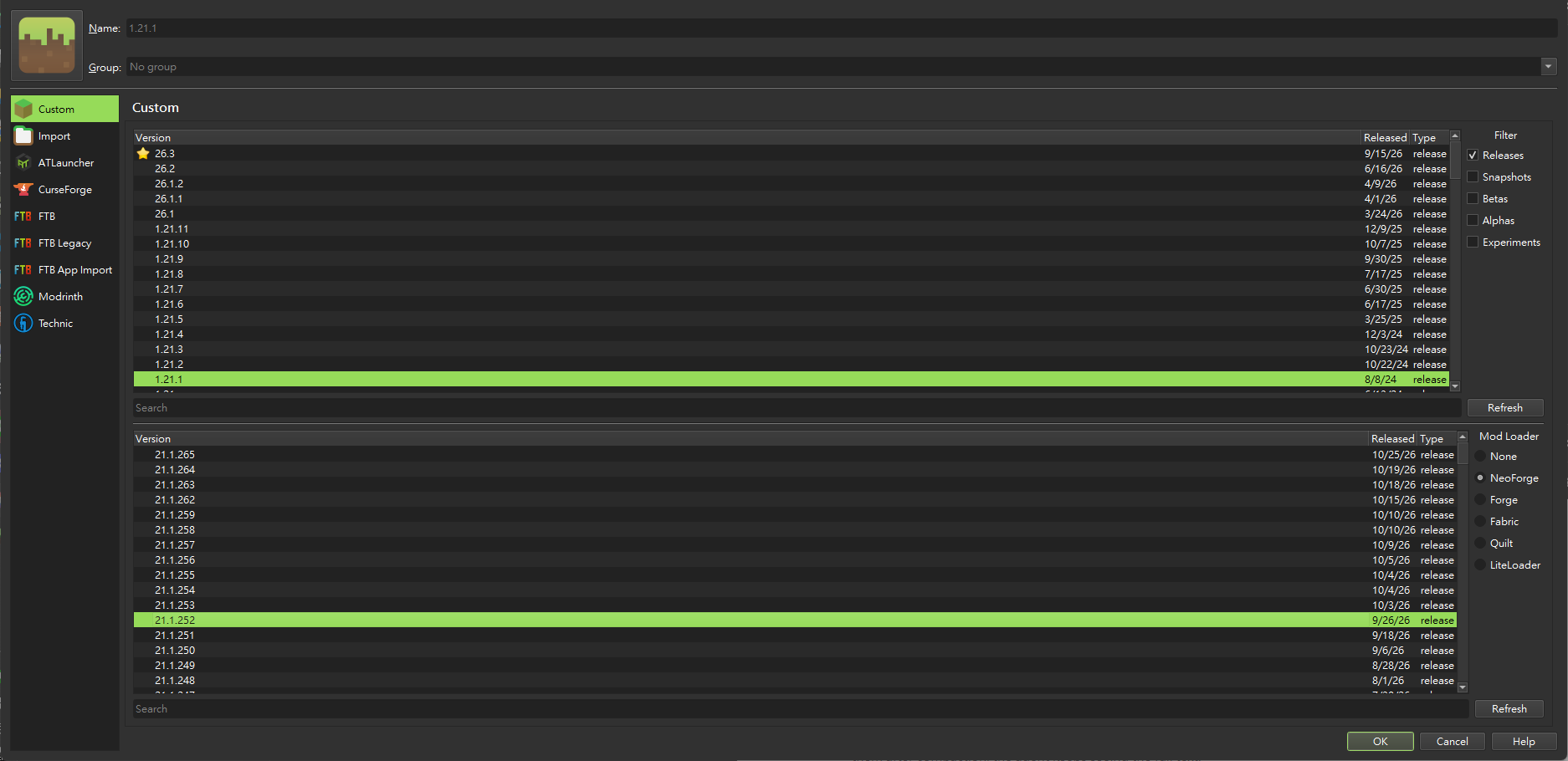
In the Prism main window, click “Add Instance”. In the version list at the top, choose “1.21.1”. Under “Mod Loader” at the bottom right, choose “NeoForge”. The NeoForge versions are listed below, with the latest one selected by default, which was 21.1.252 this time. Enter an instance name and click “OK”.
Download Pixelmon from Modrinth
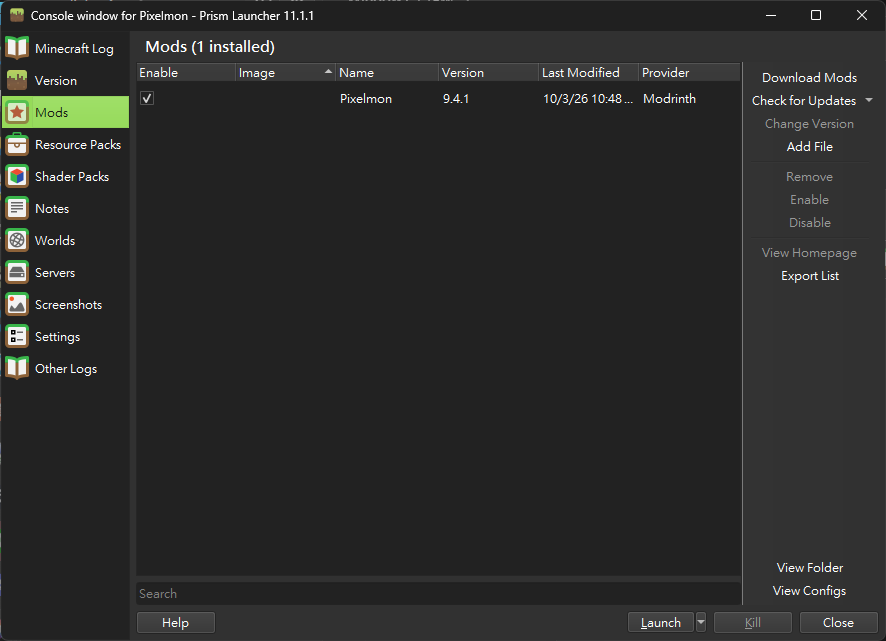
Select the instance you just created and click “Edit” on the right to open the instance window. Switch to “Mods” and click “Download Mods” on the right.
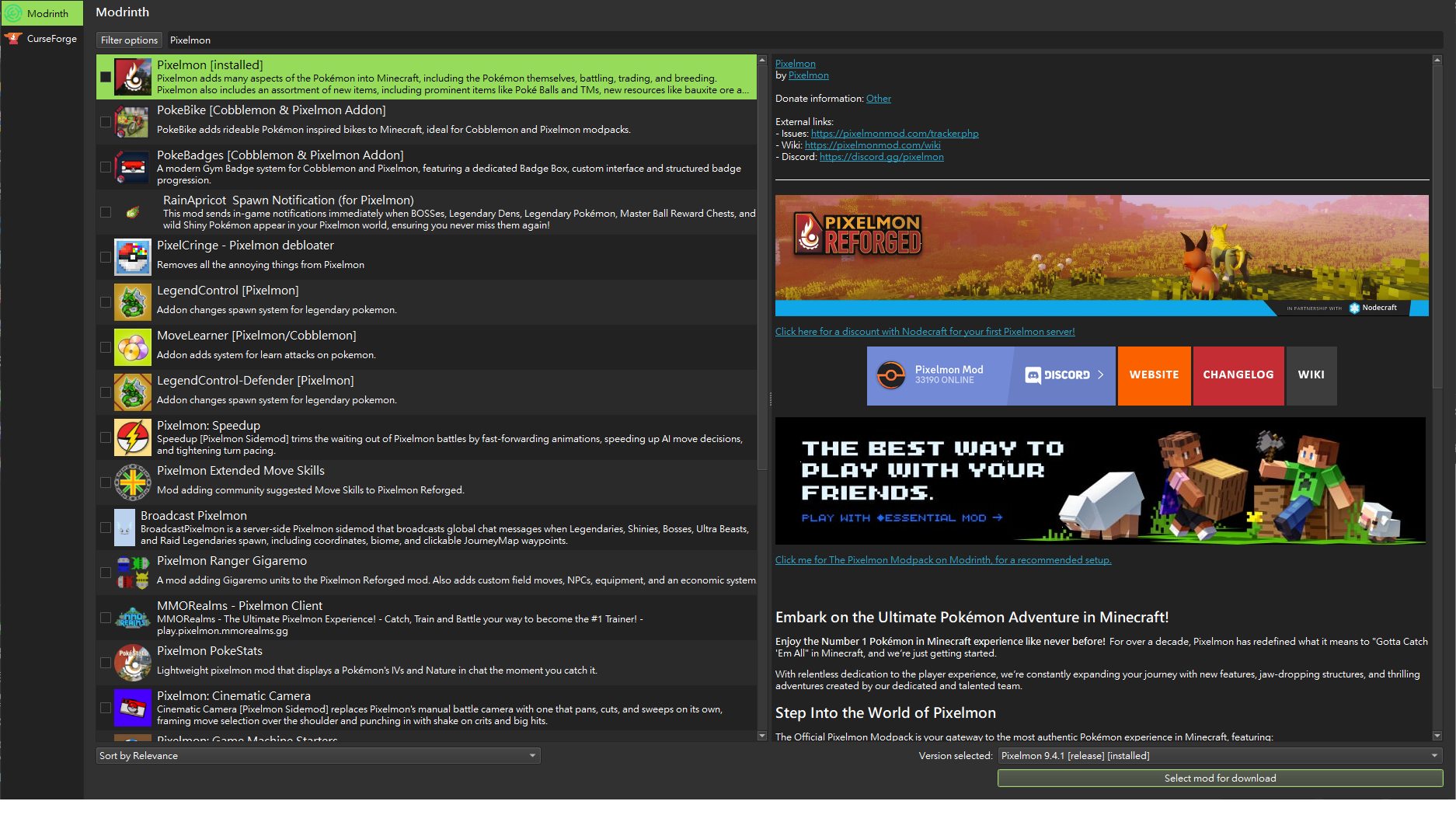
Type Pixelmon in the search box on the “Modrinth” tab. The first result is the mod published by the official Pixelmon account. When you select it, “Version selected:” at the bottom right automatically picks the latest Pixelmon that matches the instance version. It was 9.4.1 when I tested, and the latest on Modrinth now is 9.4.2. Then click “Select mod for download”, then “Review and confirm”, and then “OK” to start the download.
Launch the game and pick a starter
When you click “Launch”, Prism first downloads the game files for Minecraft 1.21.1 and automatically downloads a Java 21 runtime. This time it used Microsoft OpenJDK 21.0.7, so you do not need to install Java yourself.
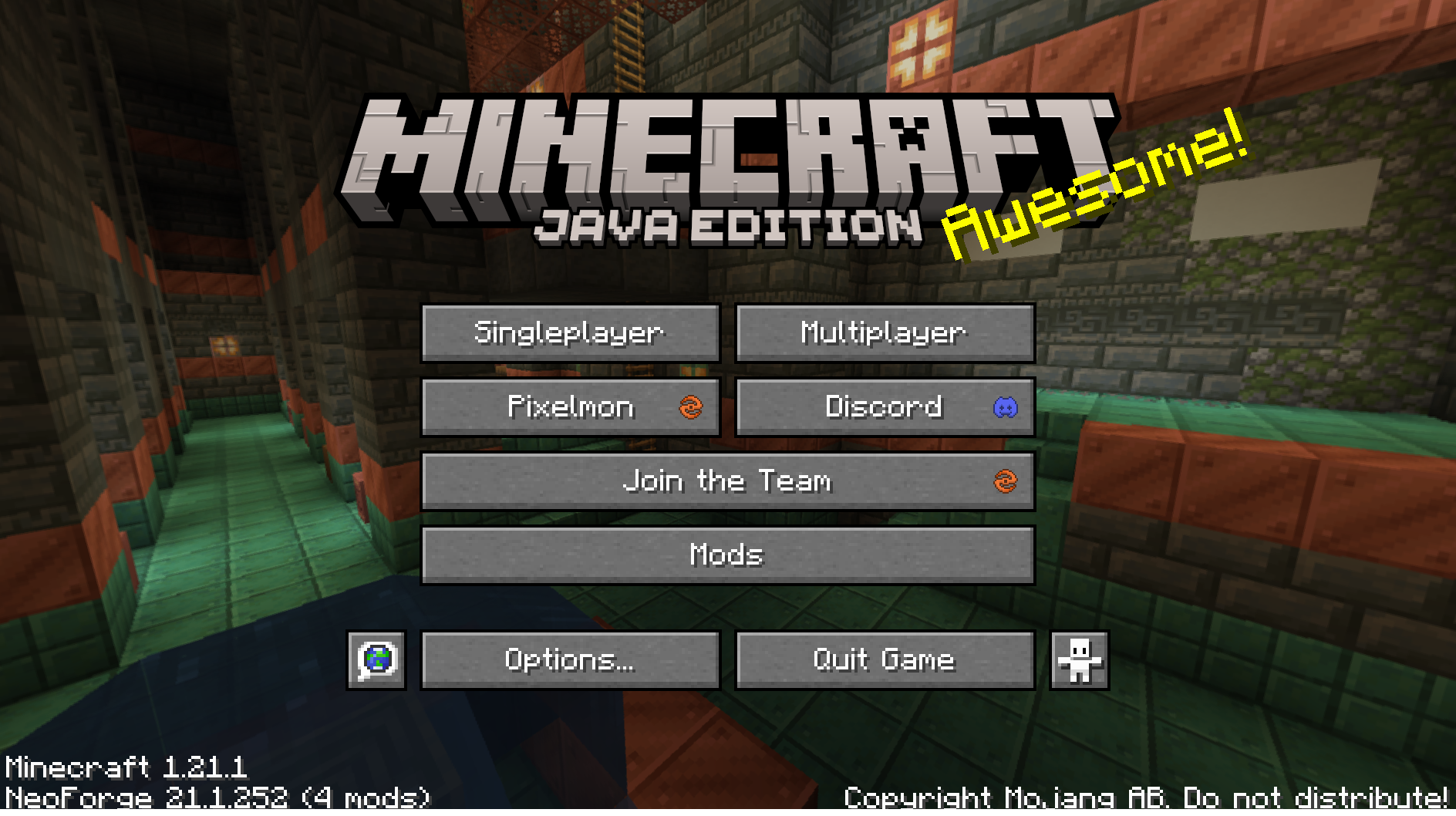
When loading finishes, the title screen has a new “Pixelmon” button, and NeoForge 21.1.252 shows at the bottom left.
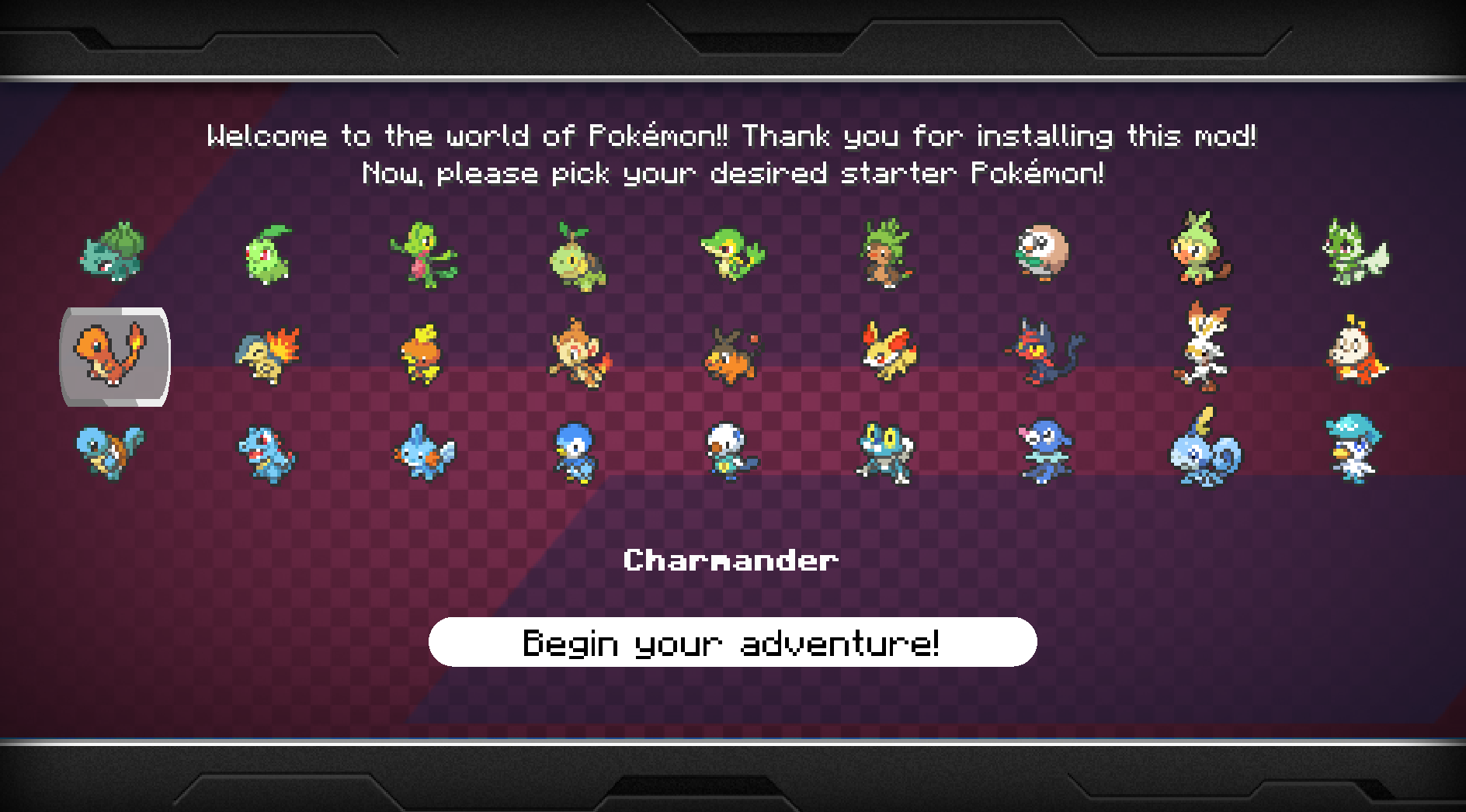
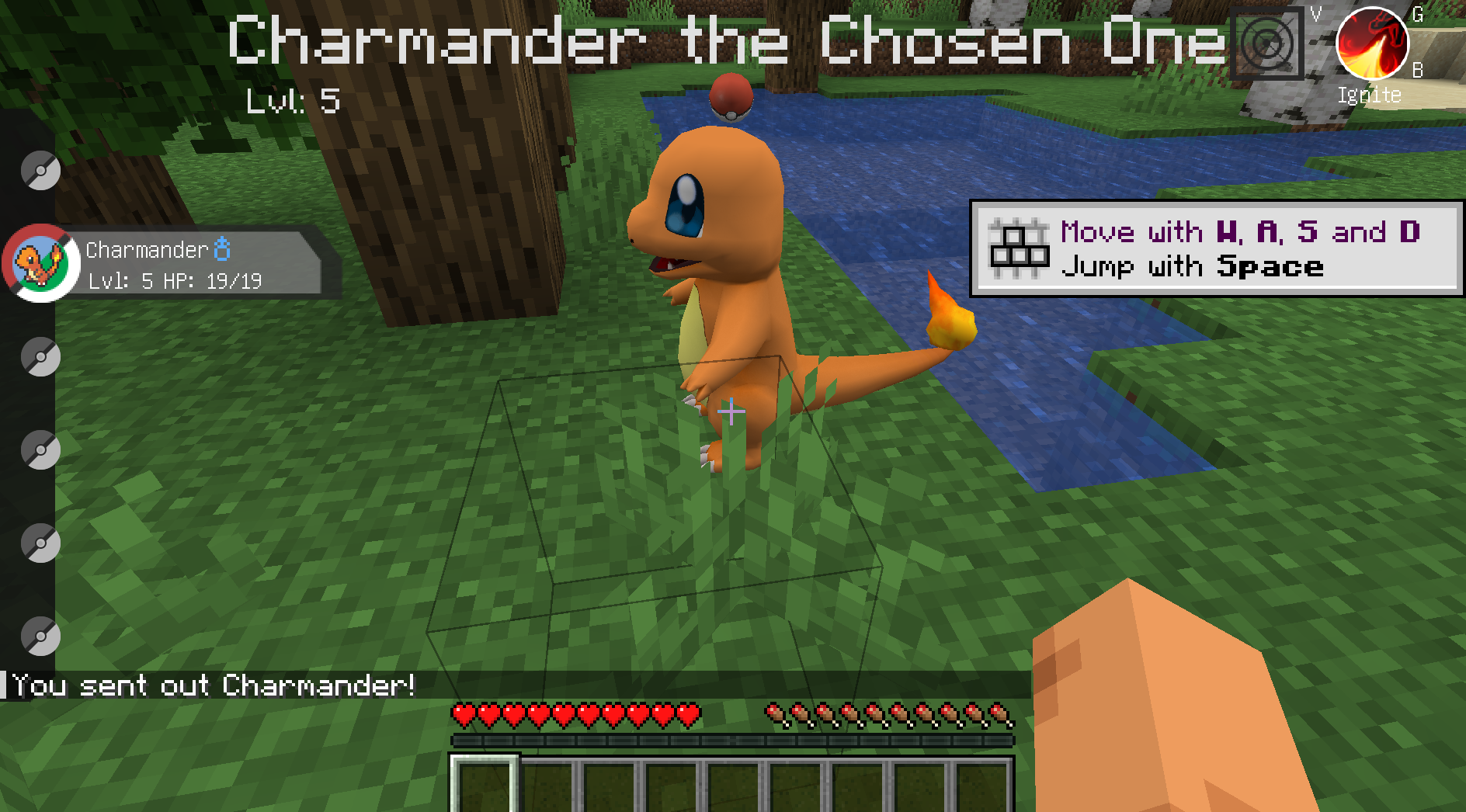
R to send out the first Pokémon in your party. The chat shows “You sent out Charmander!”.
Summary
If the title screen has a Pixelmon button and you can pick a starter after you create a world, the installation is done.